
TeamsSales teams
Every lead followed up, every target in sight.
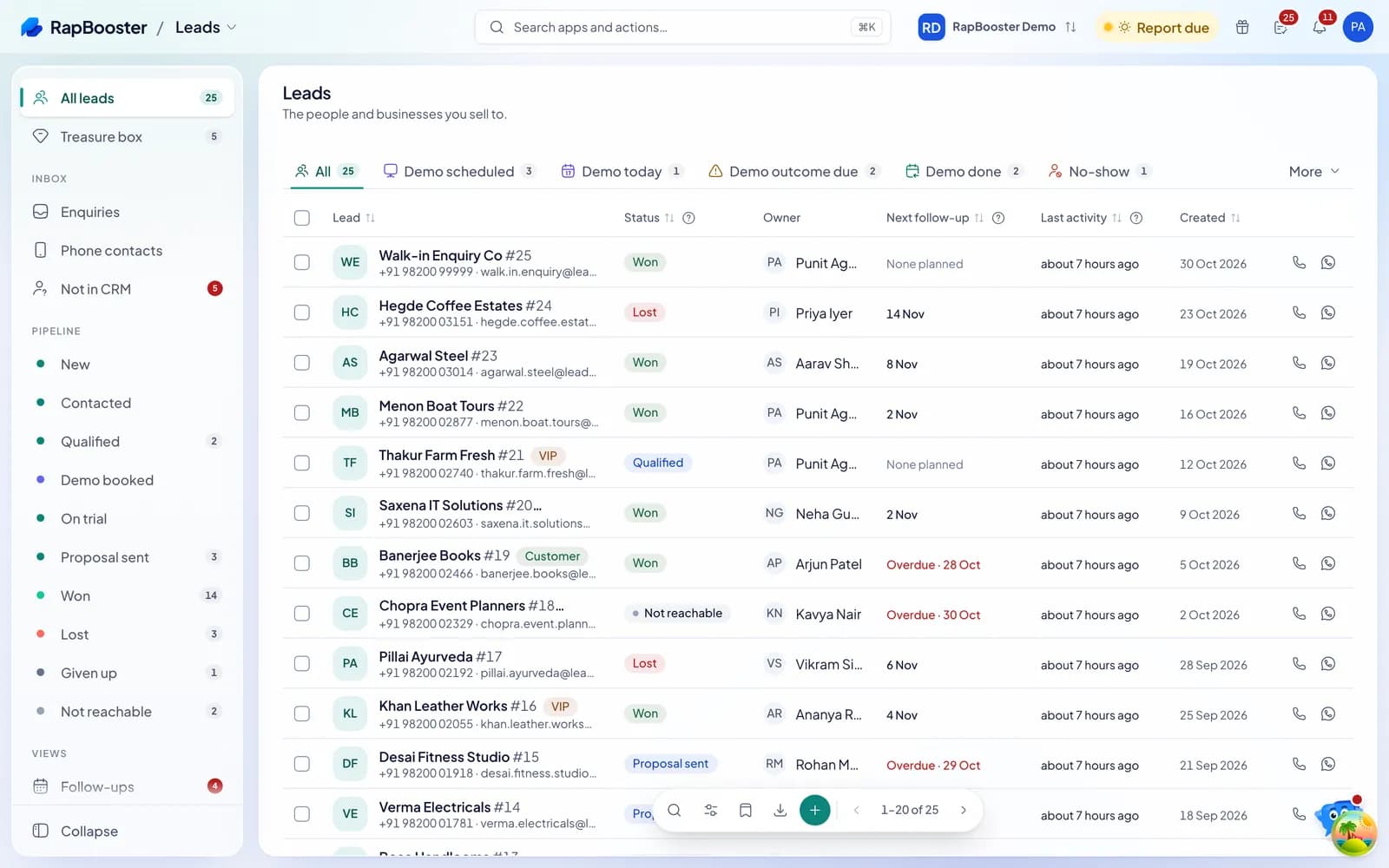
Leads arrive with an owner and a due follow-up, calls are recorded on the lead, quotes turn into invoices with pay links, and the leaderboard shows who is ahead today.
A 14-day free trial on every plan. No card needed.
- 25,000+ businesses since 2012
- Meta Business Partner
- 14 days free, no card
Why RapBooster
Built for how sales teams work.
Nothing waits unseen
Untouched leads, overdue follow-ups and demos due today each have their own tab.
Selling ends in money
A quote becomes an invoice and the buyer pays by link, on the same record.
Targets from real payments
Performance counts what was paid, not what was promised.
A working day
A day on the sales team.
Scroll through the day: each moment is a real screen in one of the apps below.
 09:30
09:30- The day's briefingRappy lists the follow-ups due, the hot leads and yesterday's payments.Rappy
- A new lead landsAssigned to the next rep, with its source and a follow-up due in minutes.Leads
- The first callClick to call, recorded, and the next step set before hanging up.Voice
- The quote goes outFrom your catalogue, emailed or sent on WhatsApp with a link.Sales
- The day-end reportAn automatic summary of the day's calls, quotes and payments.Performance
The workflow
Every step hands over to the next.
- 1LeadsLead inFrom ads, the website, imports or a call, with an owner.
- 2VoiceCallRecorded, with its outcome on the timeline.
- 3SalesQuoteAccepted quote becomes an invoice.
- 4PaymentsPaidBy link through your own gateway.
- 5PerformanceCountedTowards the rep's target and incentive.
The apps
The apps sales teams use.
Start with the first few and switch on the rest when you need them.
- Sales & CRMLeadsYour customers and prospects, and everything about them.
- MarketingVoiceCalls, recordings and the call log.
- MarketingWhatsAppThe official API and your linked numbers, in one team inbox.
- Sales & CRMSalesQuote, invoice and get paid.
- Sales & CRMPaymentsEvery payment, in and out.
- Sales & CRMPerformanceTargets, incentives, day-end reports and leaderboards.
- Sales & CRMTasksEverything waiting on you, from every app.
- Every planRappyThe assistant inside every app.

Every plan includes Tasks, Team and Rappy. Switch on the other apps when you need them.
Everyone sees what is theirs.
Roles decide who can see and do what in every app, so each person gets the view they need.
Sales rep
Works their own leads, calls from the record and sees what is due in Tasks.

Sales manager
Sees the team's pipeline, reassigns leads, steps into a negotiation and sets targets.

Owner
Sees collections, the leaderboard and which lead source pays.
Industries where sales teams use RapBooster.
See the setup for your trade: its apps, its workflow and the messages it sends.
 Real Estate
 Education
 Finance & Insurance
 Automobile
Trusted by 25,000+ businesses.
- Businesses on RapBooster
- 25,000+
- Building since
- 201214+ years
- Meta
- Business PartnerOfficial WhatsApp API














Special thanks to Mr "Shubham Agarwal" for being so helpful and supportive. Really appreciate the quick response and excellent service. Keep up the great work!
arvizon global
I've used RapBooster for about two and a half years to message teachers across Delhi. It's simple, always available, and it has widened my reach.
Deepak SehrawatDistrict President, North West B, Loktantrik Adhyapak Manch (Delhi teachers' association)
We've been connected with the RapBooster team for over 12 years.
Spandan VaidyaAsia Packaging
FAQ
Questions, answered.
Can leads be shared out to reps automatically?
Yes. New leads can be assigned to reps on their own, and leads nobody picks up wait in a pool until someone grabs them.
Can a manager approve reassignments and merges?
Yes. Reassigning, merging and splitting leads can go through approval, so nothing moves without a manager's yes.
Does the mobile app work for field sales?
Yes. Reps see their leads, call, log follow-ups and punch attendance with location from the phone.
Other teams on RapBooster.




Give your sales team one place to work.
Every plan has a 14-day free trial and no card is needed. Pick a plan when your team is using it.
Questions first? Chat with us on WhatsApp