
Deliver
 Deliver
To-Do. Tasks, approvals and projects
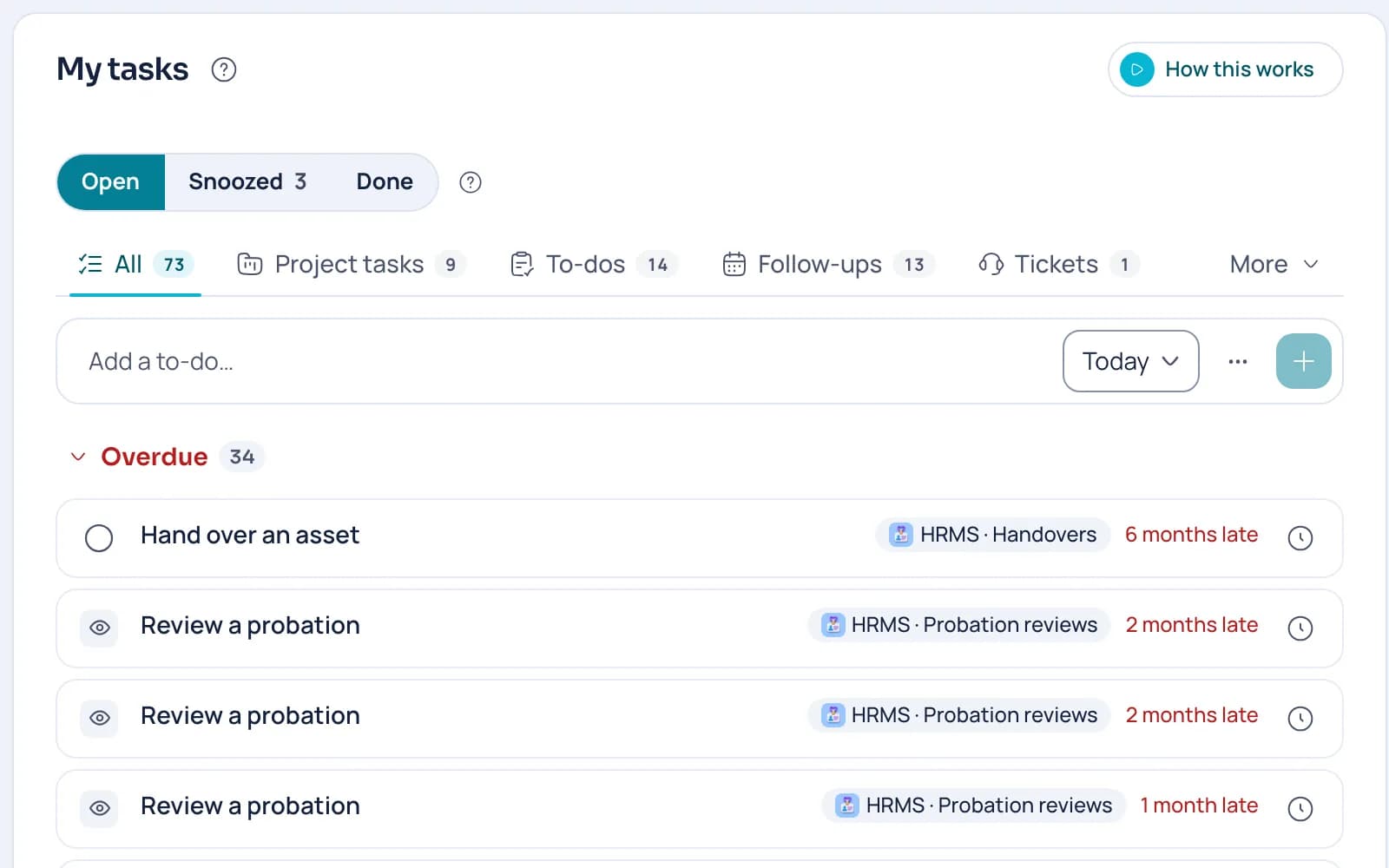
My tasks from every app by due date, approvals with their full details, and projects on boards with a status page for your customer. Free in every workspace.
To-Do is free in every workspace. No card needed.
For everyone on the team: what needs them today, what waits for their yes, and the projects they deliver.
What you get
What To-Do does for you
- My tasks from every appProject tasks, quick to-dos, CRM follow-ups, support tickets and bills in one list, grouped by due date.
- Quick to-dosType a line and press Enter. It is due today unless you pick another day.
- Approvals with detailsSee the full email, every discount line or the payment proof before you approve. Edit first if needed.
- Projects on a boardList, Board, Calendar and Timeline for each project, started from a ready plan.
- Snooze and DoneHide a task until later. Done keeps the last 30 days.
- Free everywhereIn every workspace, Free included.
Projects
Projects: how do you deliver client work in To-Do?
Client projects start from a ready plan for each service, from a lead or when the sale is paid. Each project has requirements, tasks and deliverables. Your customer follows progress on a status page, answers the requirements and approves each deliverable. Monthly services run as one project with a new cycle each month.
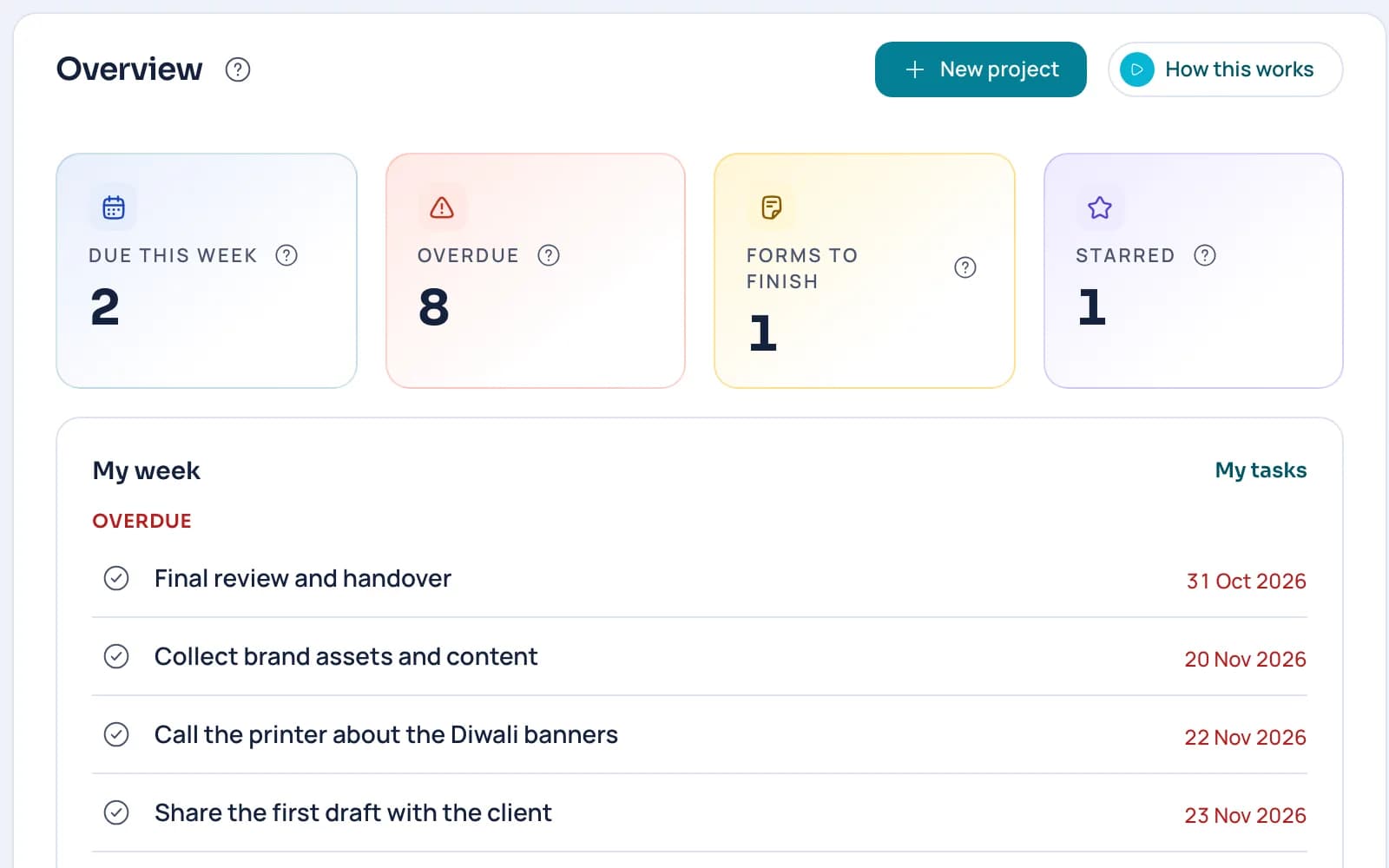
- Ready plansA template per service: websites, social media, ads, design and more. Start a project from a lead in one click.
- List, Board, Calendar, TimelineFour views of the same tasks, with owners, due dates and a backlog.
- RequirementsA checklist per template. The customer answers or uploads, and you hear when it is complete.
- Customer status pageProgress, milestones and comments on the customer's own link. They approve each deliverable or ask for changes.
- Monthly cyclesOngoing services get a fresh set of tasks every month.
- Tasks in My tasksEveryone sees their project tasks with the rest of their work.
On the Free plan: 2 open projects, no card. The One Plan has no limit on projects.
Pricing
To-Do is free in every workspace
To-Do, Reports and Rappy cost nothing, on Free and on the One Plan.
Free includes
- To-Do is in every workspace, on Free and on the One Plan
- One Plan
Every app, every feature: 5 users, 1 WhatsApp number on the official WhatsApp Business API, 5 email mailboxes, call and SMS sync and HRMS for every user, and every other app and feature.
$220 / year, or $25 / month
- Inbox, Marketing, Channels, CRM, Billing, Store, Orders, To-Do, Support, HRMS, Reports
- 100 credits a month for Rappy and IVR

Or start free with 7 days of the full One Plan, no card. After that the Free plan: 2 users, CRM, GST billing, Channels and Marketing with one mailbox (no WhatsApp), To-Do, Reports and 10 credits, no card. Add users, WhatsApp numbers or mailboxes to the One Plan any time. See the pricing
How it works
Where To-Do sits in your day
Four steps on one customer record. Tap a step to replay it.
Businesses like yours already run on it
- Meta Tech Provider
- Since 2012
- 25,000+ businesses
- Wholesale & resale business owner
- Mithal Patel
- MehulMofas Technologies
- Col. Narendra Pal SinghTumble Dry franchise, Dera Bassi (Punjab)
- Spandan VaidyaAsia Packaging
- Spectrum Printers
- SiddhuVirgin coconut oil brand, Bangalore
- Satyam
- Rakesh A P
- Store managerLeading optical store, Chennai
- Amit GuptaMentoria
- RapBooster client














Connected
To-Do works with
They share your customers, team and items, so nothing is set up twice.
 Billing
 Support
 HRMS
 Orders
Questions
To-Do: common questions
Which plan includes To-Do?
None is needed. To-Do is free in every workspace, Free included, alongside Reports and Rappy.
Is To-Do free?
Yes, always. To-Do costs nothing in any workspace, and no card is needed.
What happens if I stop paying?
Your workspace goes back to Free. Nothing is deleted: apps outside Free lock and anything above the Free limits is paused until you renew.
Does To-Do work with the rest of RapBooster?
Yes. Every app shares the same customers, team, items and login, and To-Do works closely with CRM, Billing, Support and HRMS. Rappy, the AI assistant, works inside it too.
Can someone show me how it works?
Yes. Book a demo and we will walk you through it on a call, or message us on WhatsApp with your questions.
Is Projects still a separate app?
No. Projects is a section of To-Do, next to My tasks and Approvals. Boards, lists, the calendar, the timeline and the customer status page work as before.
How many projects does the Free plan include?
2 open projects. A delivered or cancelled project does not count, and a project that a paid sale opens is never refused. The One Plan has no limit on projects.
Can my customer see the project?
Yes, on a status page with its own link. The customer sees progress and milestones, answers the requirements and approves each deliverable or asks for changes, without a login.
Where do project tasks show up for my team?
In My tasks, the first section of To-Do, with each person's follow-ups, tickets and quick to-dos, grouped by due date.
Start To-Do free today.
Open your workspace, invite your team and see it on your own data. 7 days of the full One Plan, then Free forever. No card.
Prefer a walkthrough? Book a demo